A real contender for a homelab switch: Ruckus icx7150
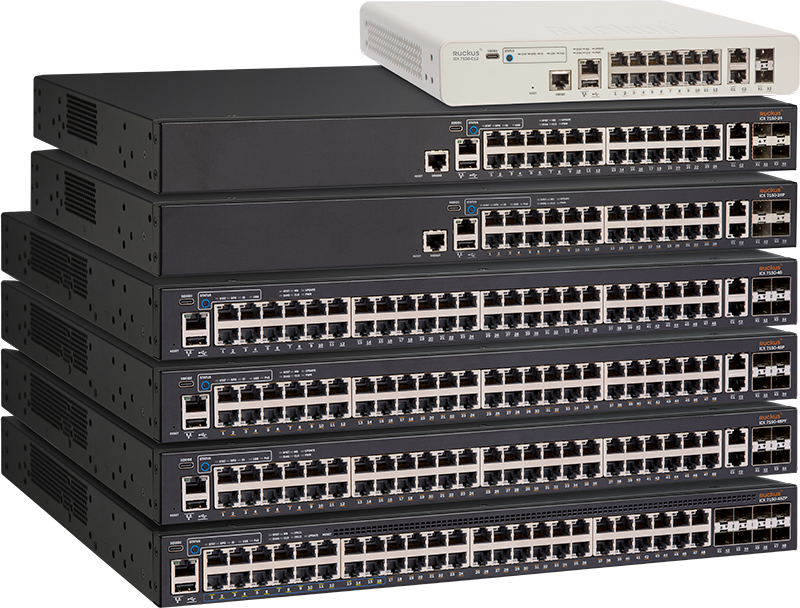
The Ruckus icx7150, namely the icx7150-24p makes for a fantastic homelab network switch in my opinion. It has 24x1gb poe ethernet ports combined with 4xSFP+ 10gb ports and can operate in a silent 'fanless' mode (albeit at a reduced 150w of poe power, as opposed to 370w with fans enabled).
The specs look like:
- 24× 10/100/1000 Mbps RJ-45 PoE+ ports
- 370 W PoE budget (150 W fanless)
- 2× 10/100/1000 Mbps uplink RJ-45 ports
- 4× 1/10 GbE uplink/stacking SFP/SFP+ ports
View the datasheet here:
I particularly like the fact that it is quiet, has a full-blown L3 operating system, and 4 x 10gig SFP+ ports. I run 3 x access points, 3 cameras and an LTE failover modem from mine over poe, and utilise it as a core switch for my network.
I run the 08.95 fastiron firmware branch on mine, as I find it the most responsive, and it uses less management cpu than the 9.0.x and 10.0.x chains. The main disadvantage though with that is that you're stuck with an older SSH encryption method, but in the homelab I don't find this a big issue and you can configure the switch over console anyway - you shouldn't need to be in there all the time.
For the money, they're hard to beat. You're getting enterprise level gear at homelab prices - mainly because they are EoL and no longer supported by ruckus. Which again, from a homelab standpoint isn't too much of a major factor here. Keep an eye out on ebay for them at good prices.
I strongly suggest that the first thing you do, if you decide to get one is to visit https://fohdeesha.com/docs/ - a must. Here, you can find out about initial configuration, and how to unlock the sweet, sweet 10 gig goodness..
0 comment(s)
No comments yet. Be the first to comment.
Leave a comment