DoH with a dual stack setup on RouterOS 7.23.3+
The problem
I run dual stack throughout my network; IPv4 and IPv6. When using DNS over HTTPS (DoH) on Routeros, I would regularly receive DNS DoH timeout errors in my log, even when running ROS 7.23+ where the DoH implementation has been greatly improved.
The solution
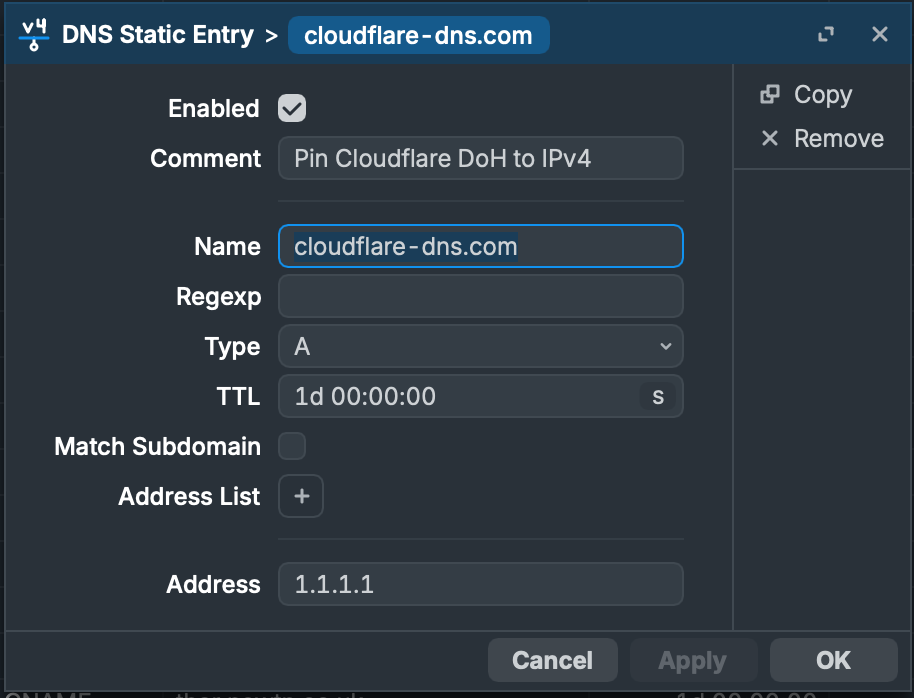
I have found that the solution is to pin the DNS DoH address within a static DNS override entry to IPv4 only. For now, the issue seems to be related to IPv6.
To do this, firstly create a static override to the IPv4 IP address, like so (note: I am a huge fan of 1.1.1.1, and will avoid Google as much as possible. Privacy concerns anyone??):
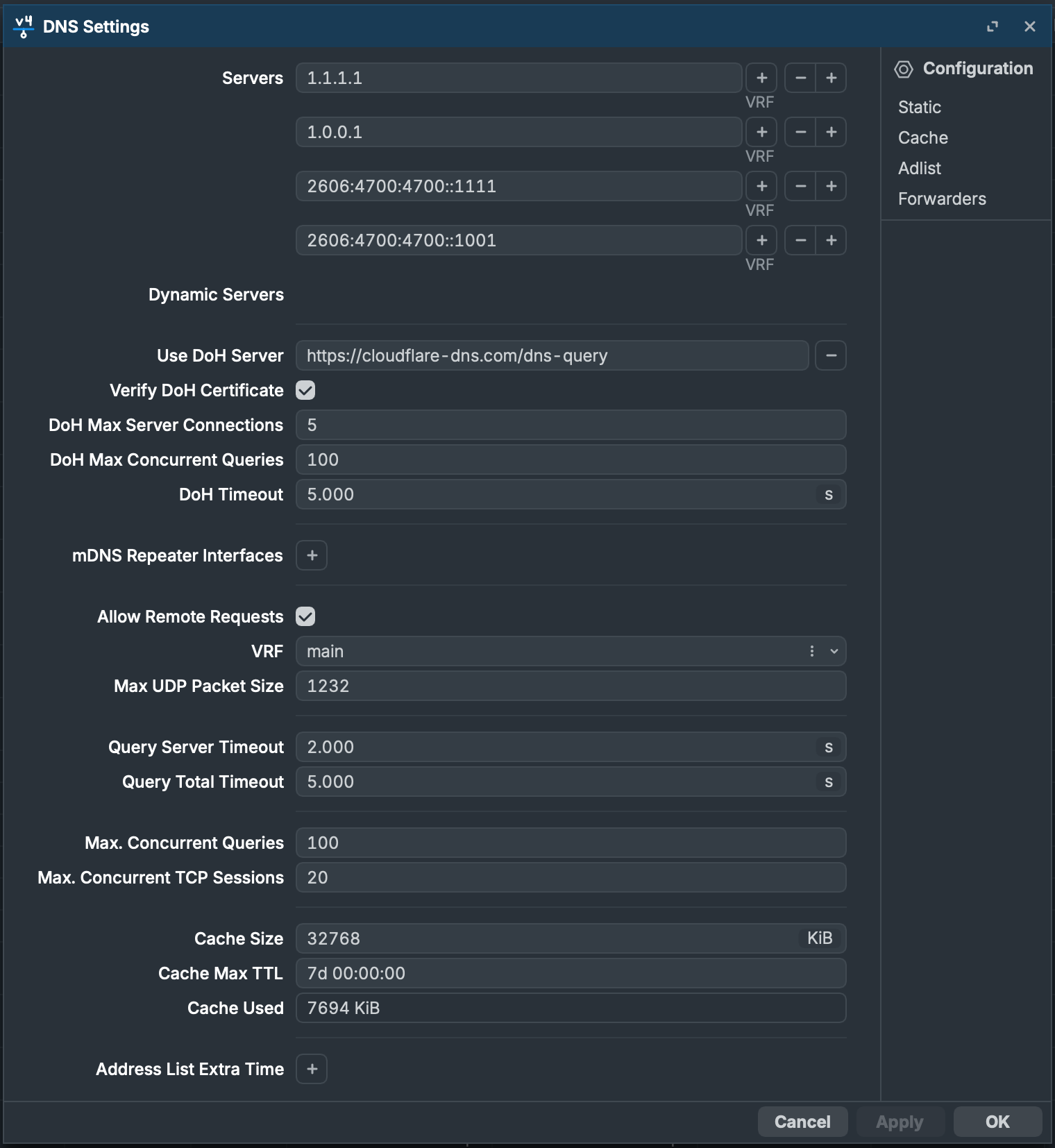
Secondly, ensure that DoH is active:
Note 2: RouterOS will not use the server addresses in the 'Servers' fields, however for completeness I like to keep them filled..
I hope this helps if you have the same issue.
0 comment(s)
No comments yet. Be the first to comment.
Leave a comment