ICX 7150 Noctua 40mm cooling mod
So I run my core network switch - a Ruckus ICX 7150 in fanless mode and have not had any issues at all so far, however in the interest of being overly cautious (given the heatwaves the UK sustained over the summer) I have been running a 120mm Noctua fan a few shelves down on my network 19" rack pointing at the underside of the switch, which dropped the temps a good few degrees.
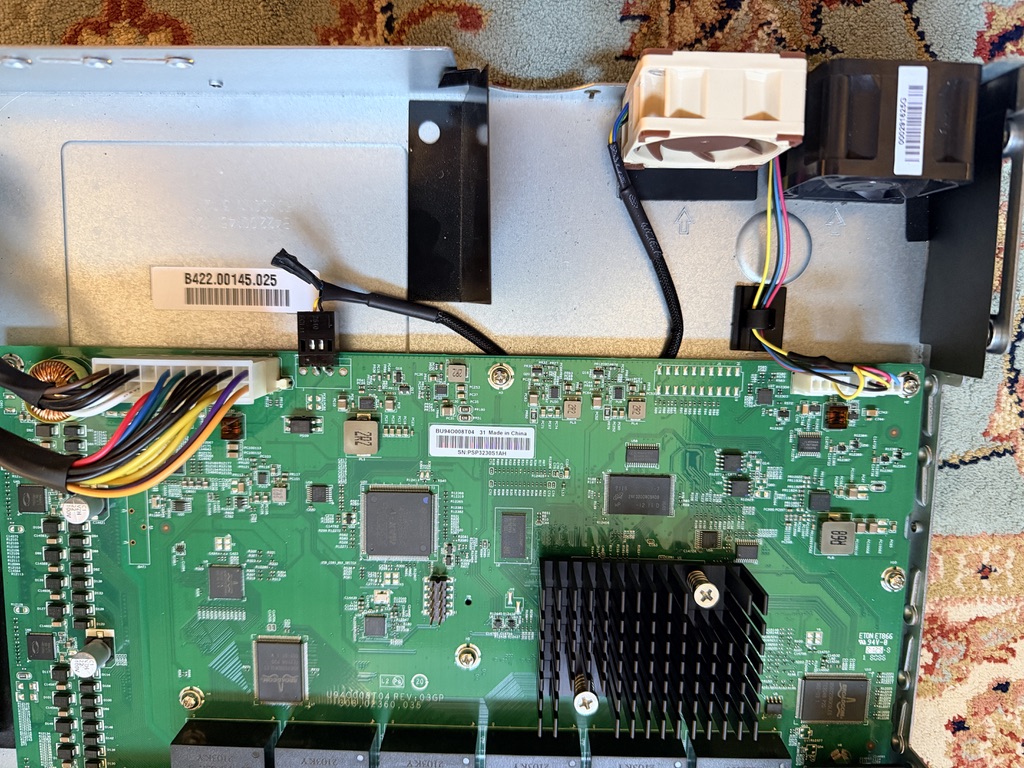
I have been thinking about how I can come up with a more permanent solution though, and ended up installing a Noctua 40mm fan in position of one of the stock fans.
I removed one of the stock fans and left the other one in, but linked out the RPM sensor wire (yellow) across the 2 connectors by soldering and splicing it - this enables running one stock fan at least "just in case", but also prevents any fan speed errors in the log, if fanless mode is ever turned off.
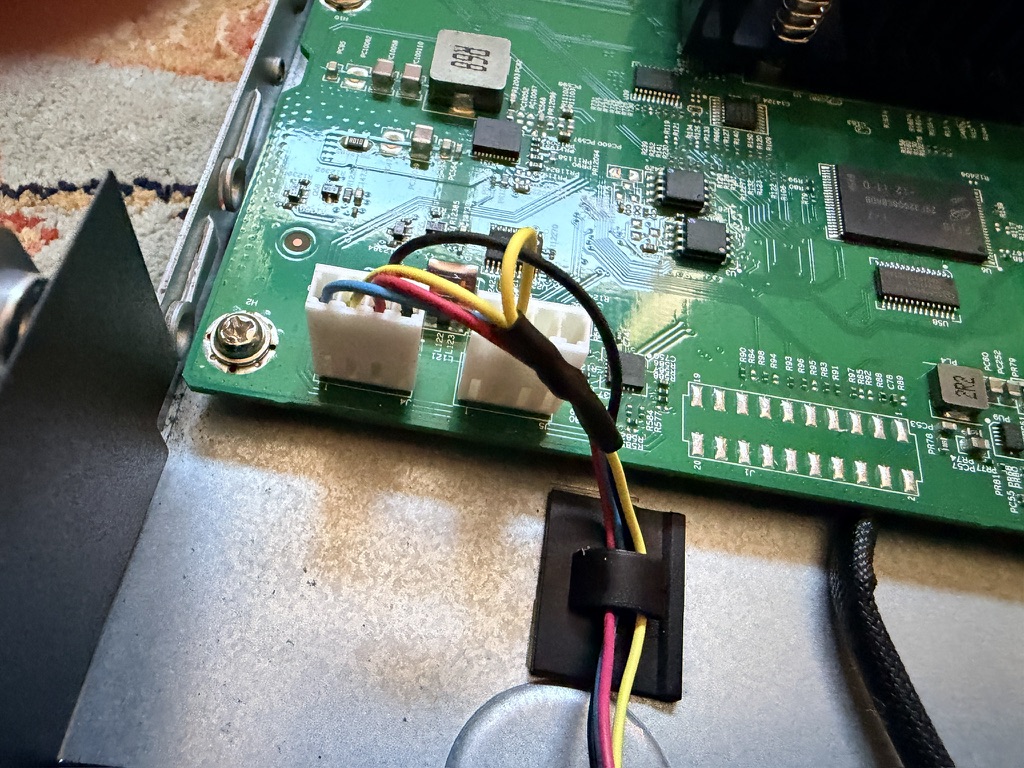
I used the Noctua A4x20 fan, as I had one on hand with the Noctua LNA (Low Noise Adaptor) in line.
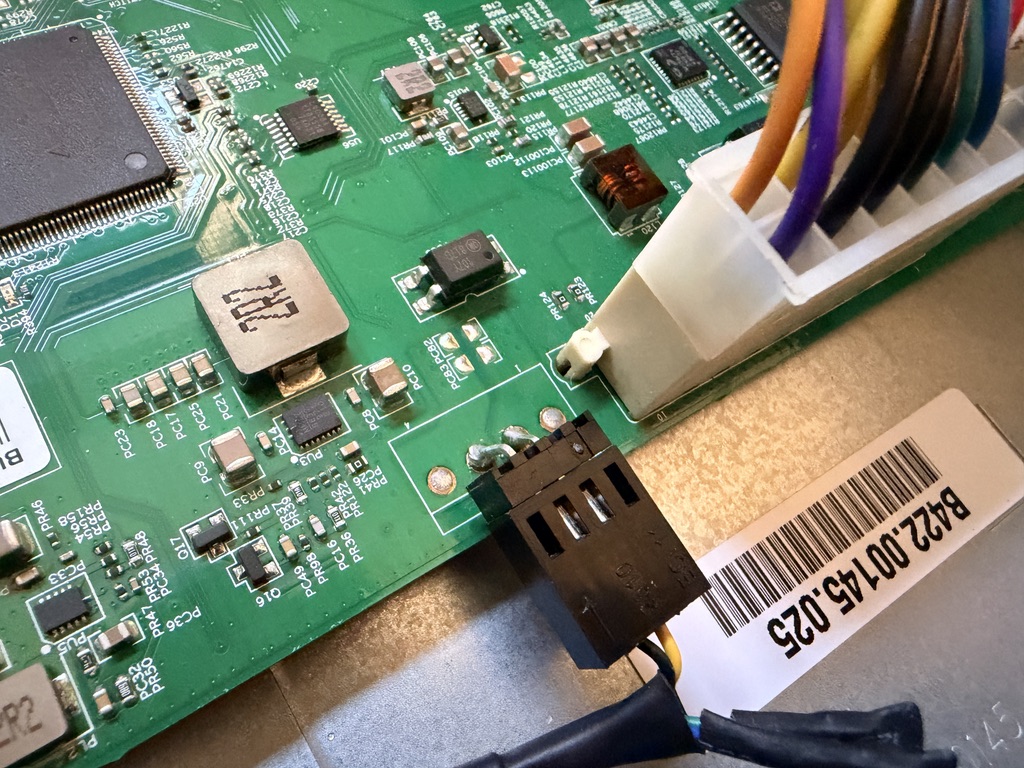
To connect it, I soldered an angled fan connector to the jumper pads to the left side of the larger board power connector (looking from the rear of the switch). On this jumper, the left 2 pins are ground, and the right 2 pins are both +12v - for alignment, I used the centre 2 pads. The fan will run all the time the switch is on.
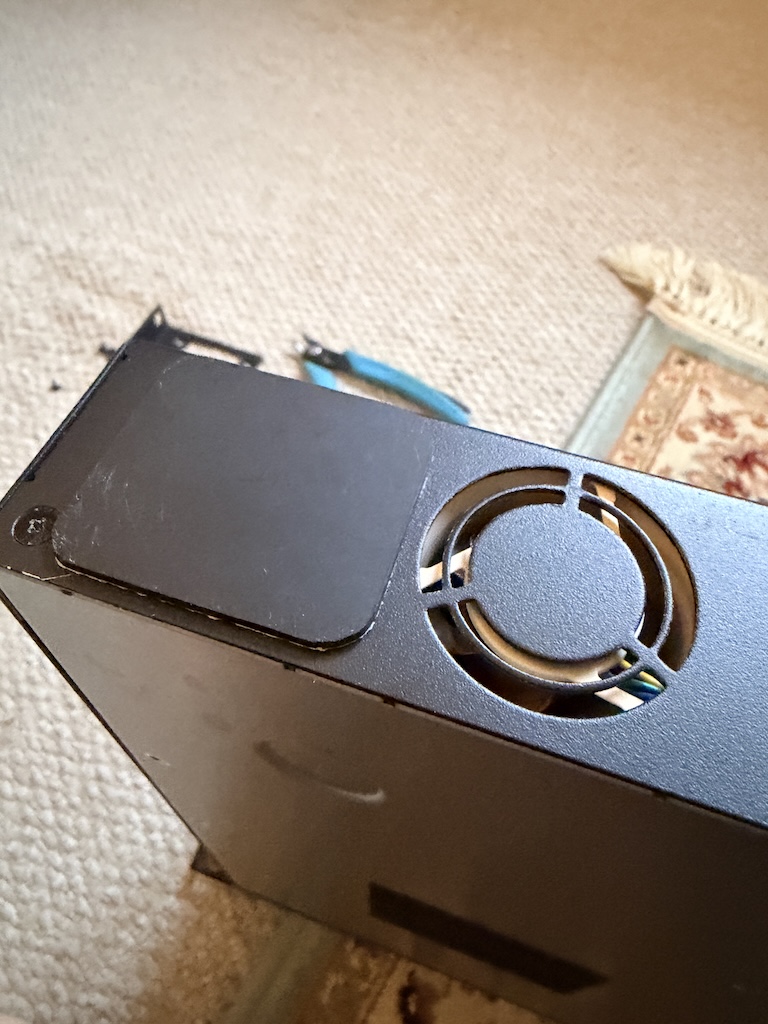
On the outside of the case, I used double-sided tape and a little plastic blanking plate to cover the remaining stock fan hole. This way, it can be removed easily and quickly should I need to, and it still looks quite neat. It is important to do this, so that the Noctua can pull air through the switch, rather than from the stock fan location which would mean the air path would skip warm components.
Noise wise, obviously it is not 'fanless' - however, it is a LOT less noisy than the stock fans, even at lower RPM.
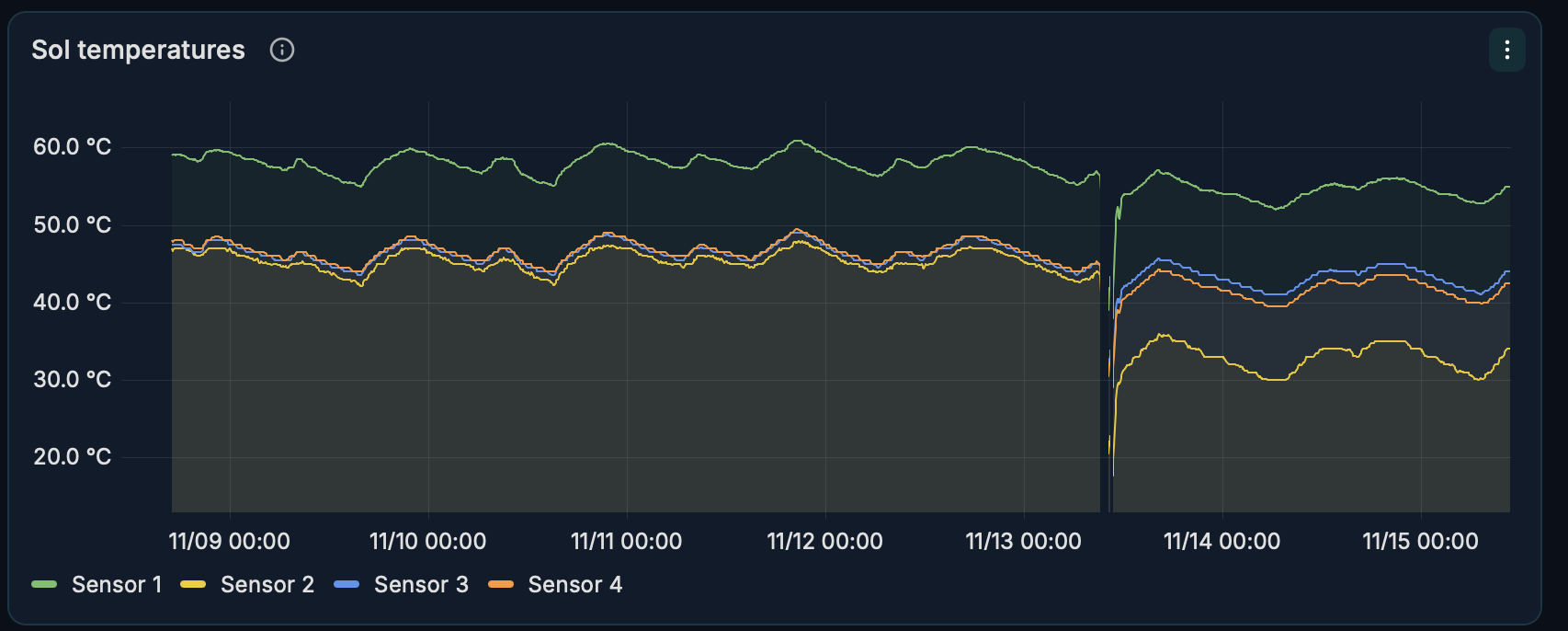
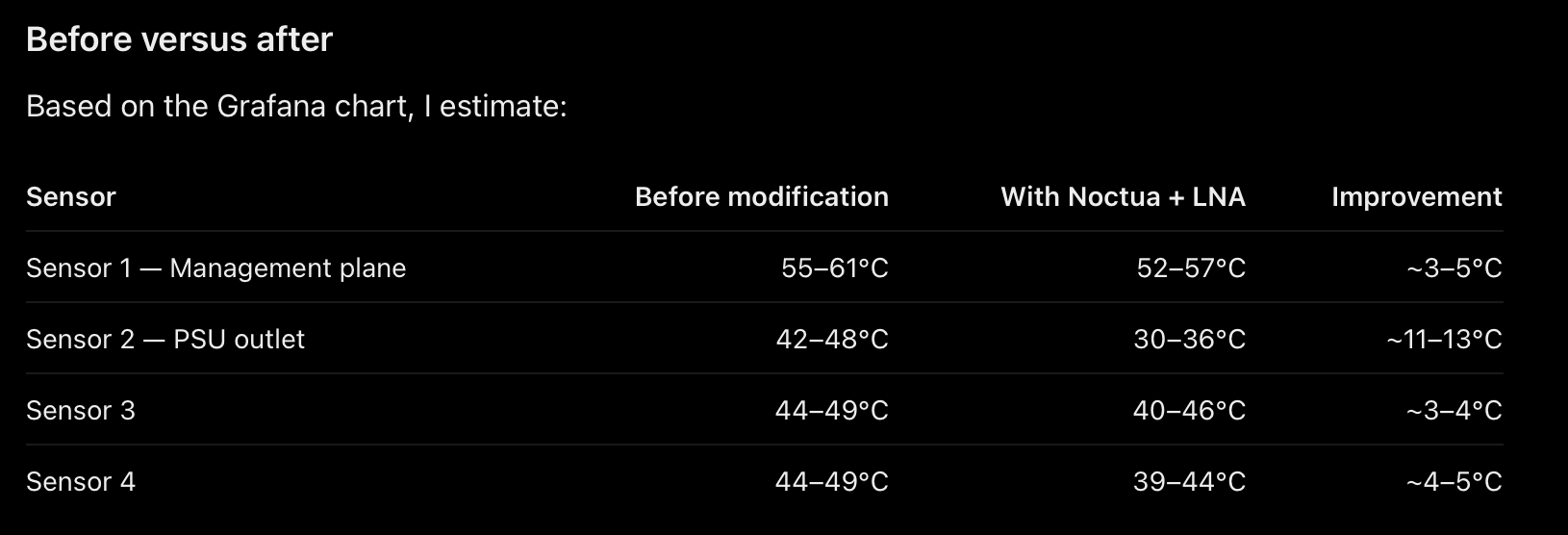
I have seen some good results since doing the mod, and you can see the change on my Grafana monitoring dashboard:
0 comment(s)
No comments yet. Be the first to comment.
Leave a comment